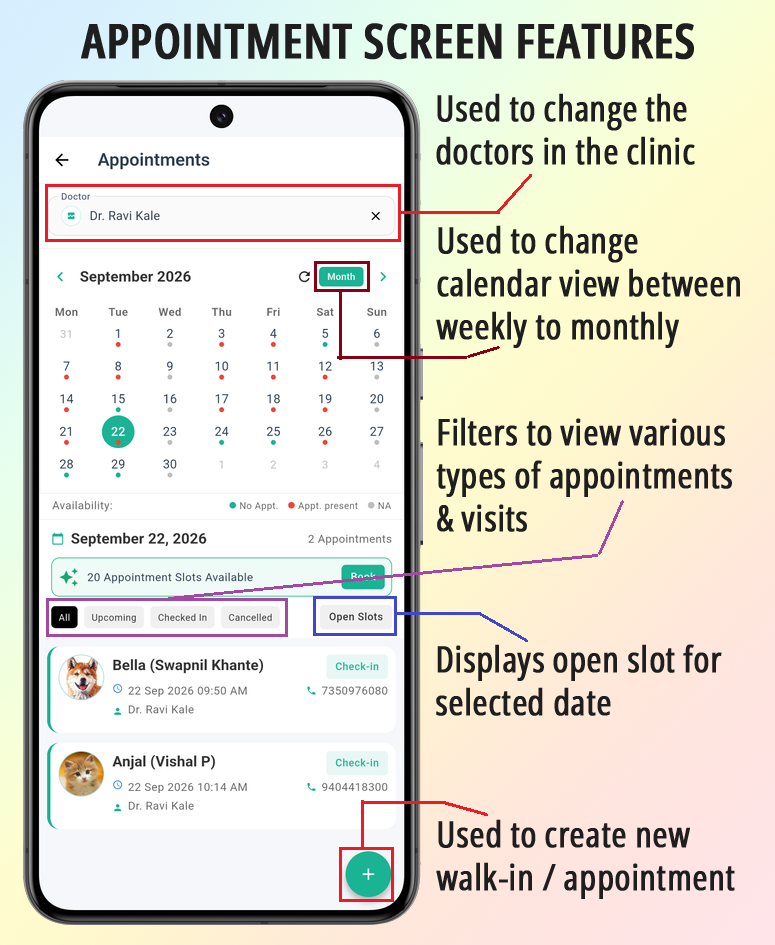
All about Appointment Calendar for the clinic
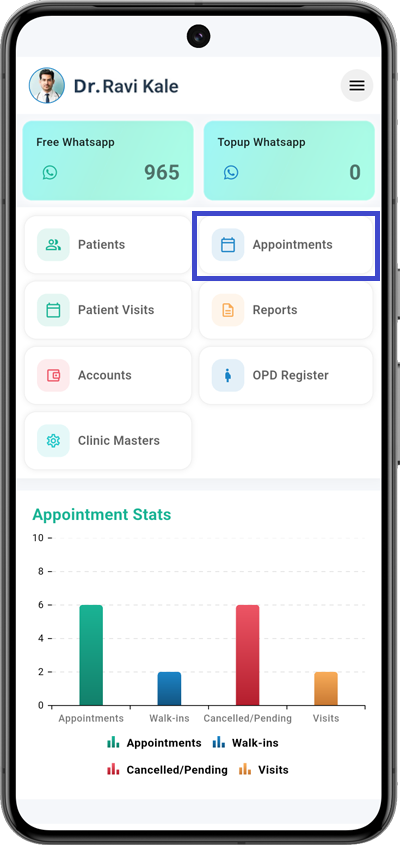
Step 1: Open the Appointments Menu
From the Home Screen, tap the Appointments menu to access patient appointments / walk-in visits for any specific date.
Step 2: View Appointment Calendar
You can use this screen to schedule future appointments, create current or past walk-in visits, reschedule appointments, cancel appointments, check open slots and much more