How to Login in the app?
Step 1: Open the Practiva App
Click on the Practiva App icon on your mobile device to open the app.
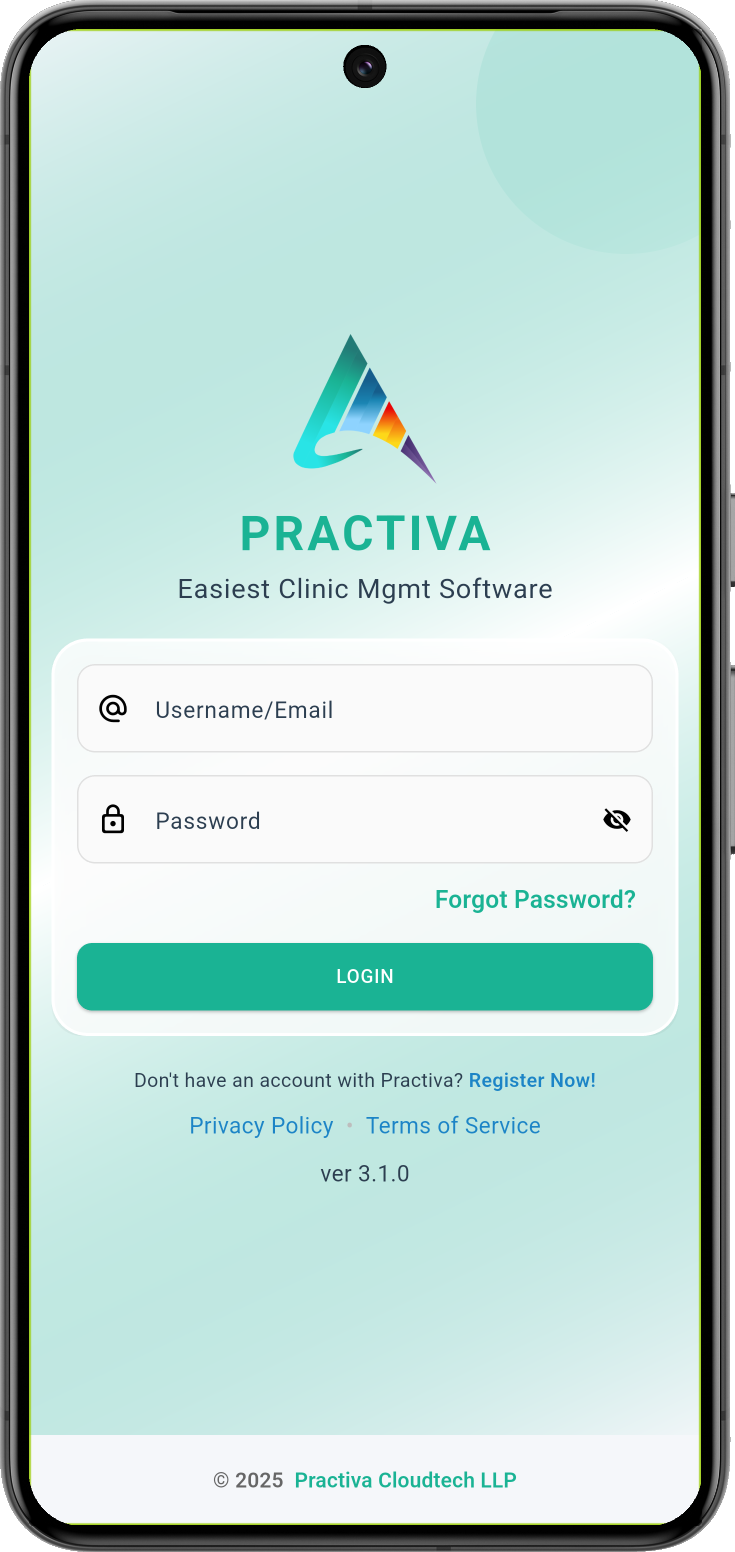
If you are not already logged in, the Login screen will be displayed, as shown below.
Step 2: Log in to the Practiva App
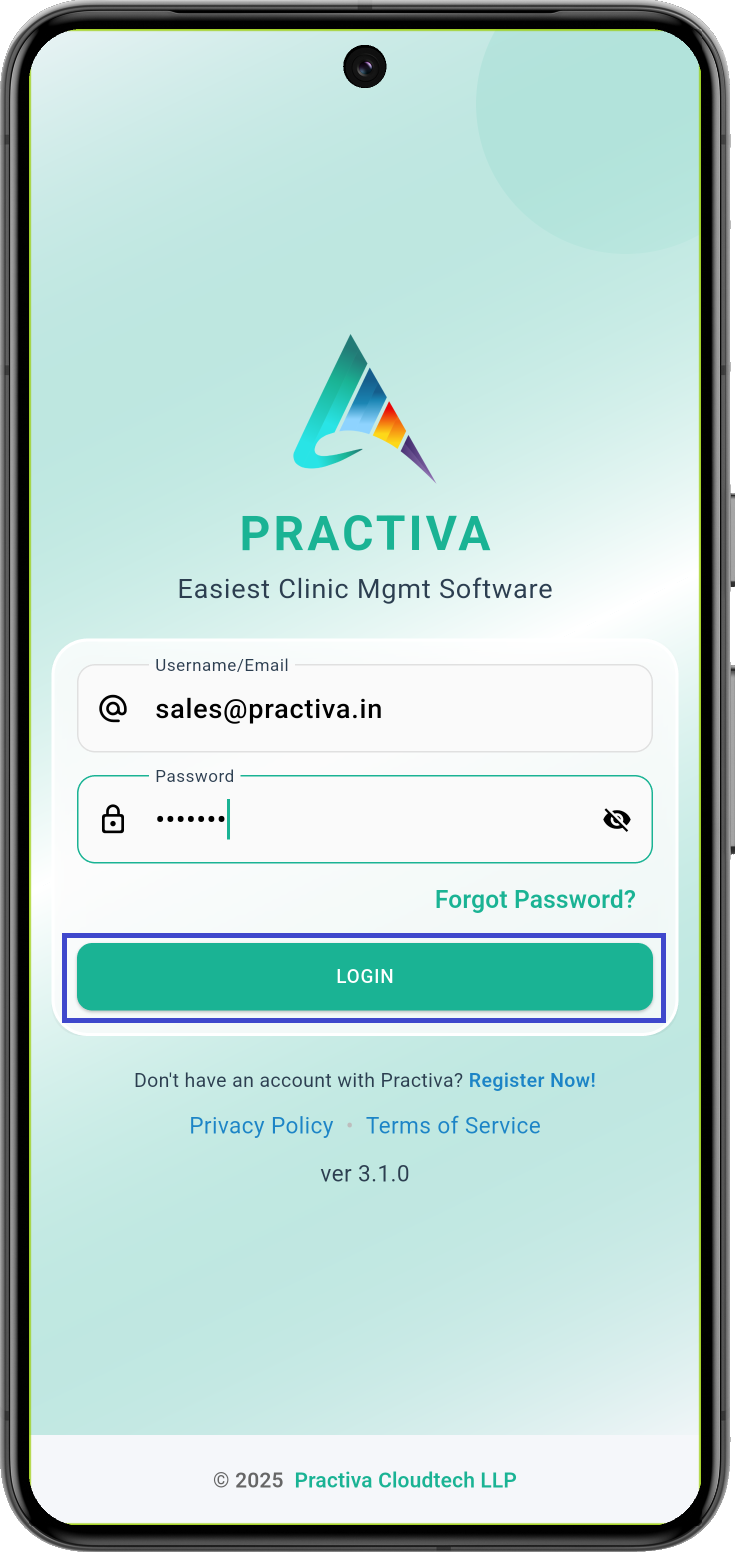
Enter your registered email address and password, and then tap the Login button to access the Practiva App.
Step 3: Access the Home Screen
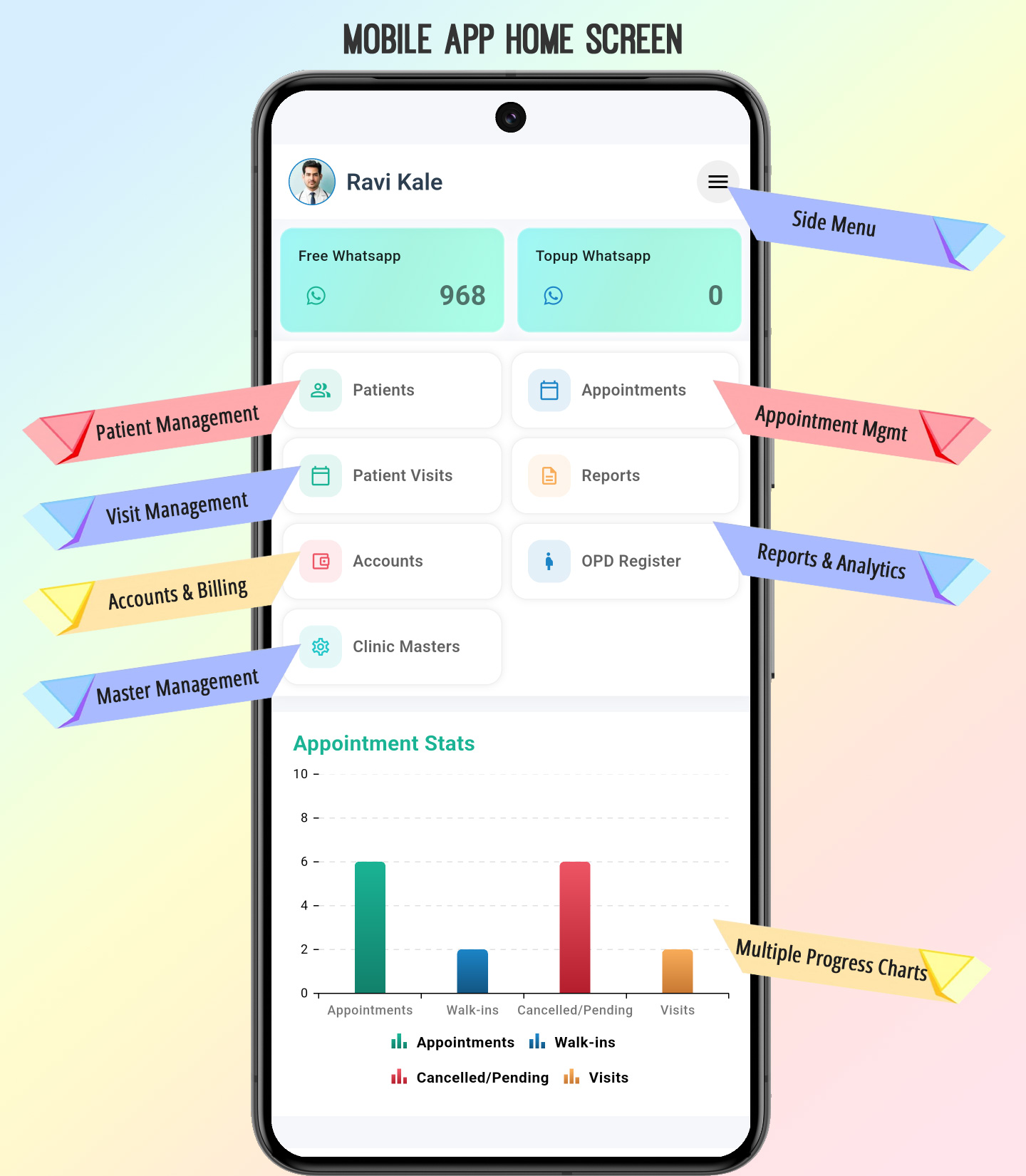
Once you have successfully logged in, the Home Screen will be displayed.
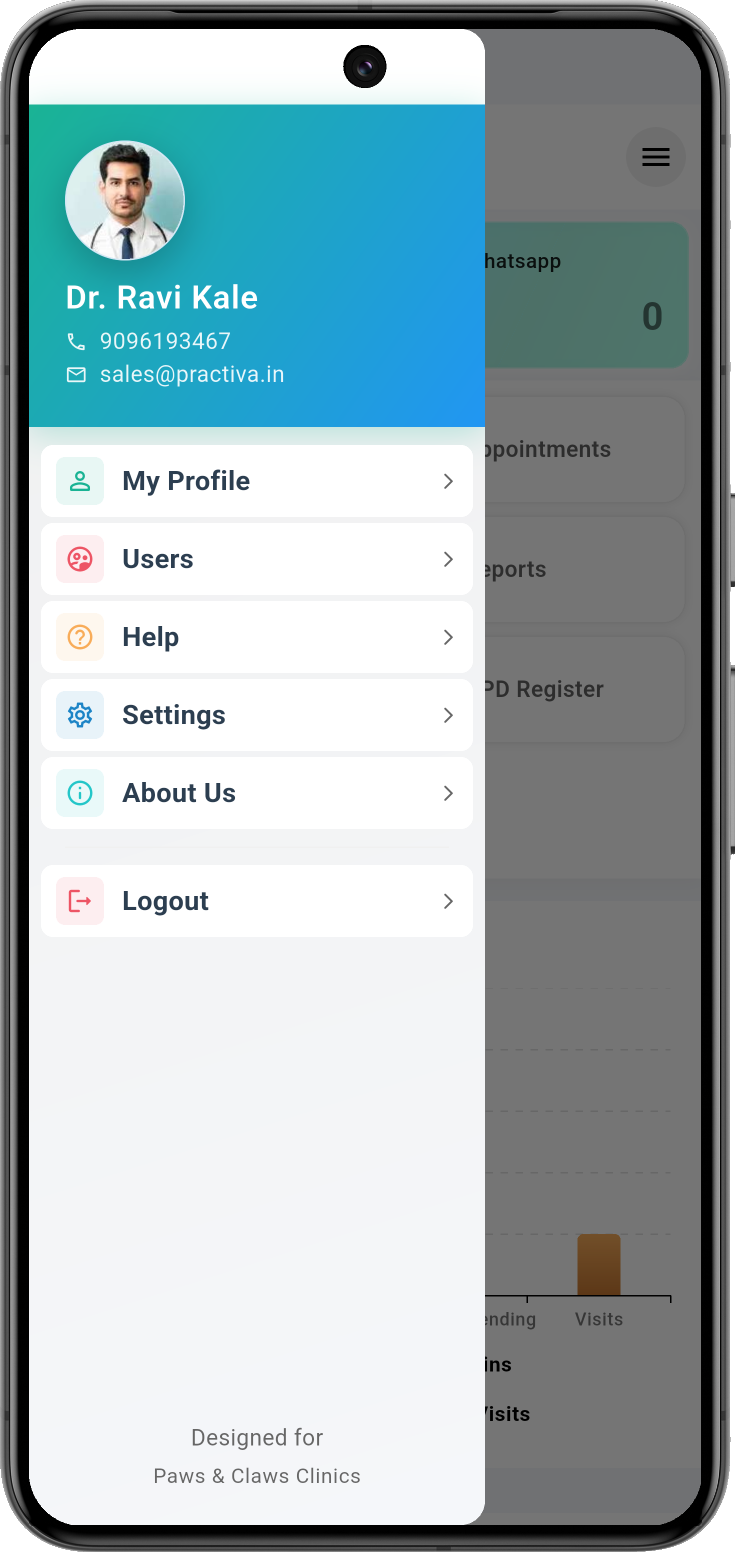
From the Home Screen, you can use the available menu options to navigate to the various features and functions of the Practiva App. You can also use the Side Menu to access more features.